Product update
Event Manager: one notification, many tools
How Event Feed and PCN Manager interact, in detail.
To the Event Manager article: Event Manager: one notification, many tools
Deliver product changes to your customers in a machine-readable format, directly at the affected component within the engineering tool. Standardized according to IDTA 02036, without requiring an interface for each tool.
Request Demo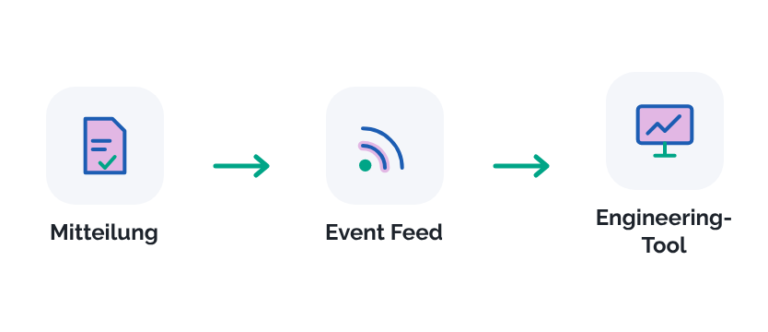
A Product Change Notification (PCN) is a manufacturer's structured notification regarding a change to a product: a product discontinuation, a successor product, a modified specification, or corrected technical documentation. As a submodel of the Asset Administration Shell, it is standardized in IDTA 02036.
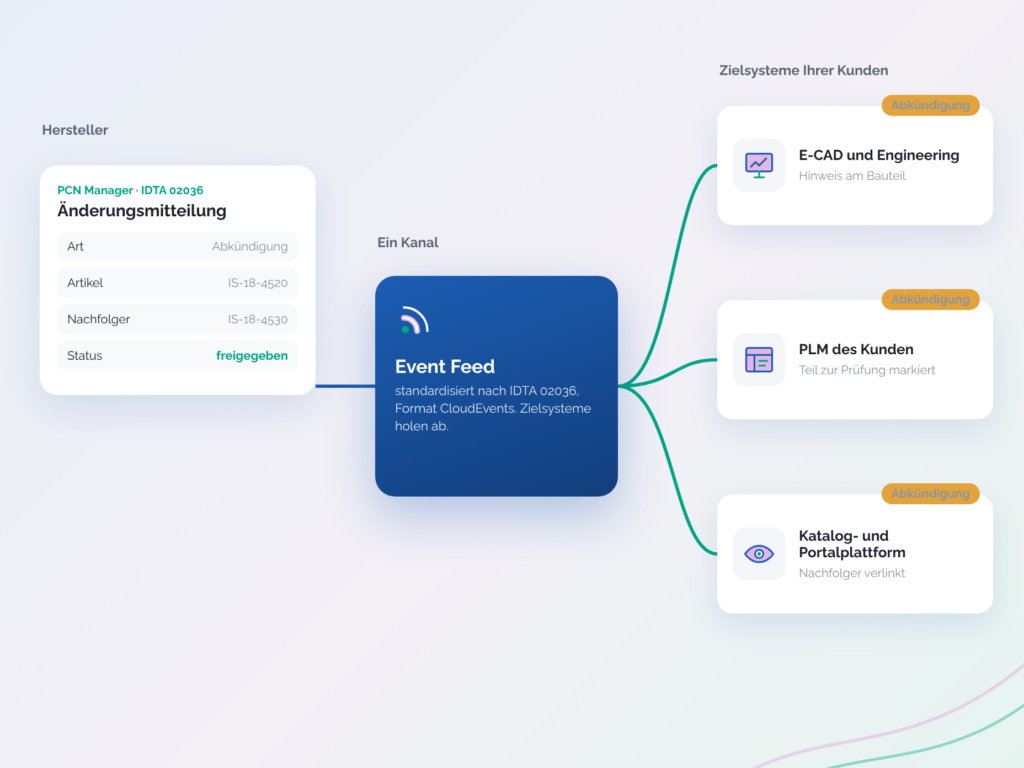
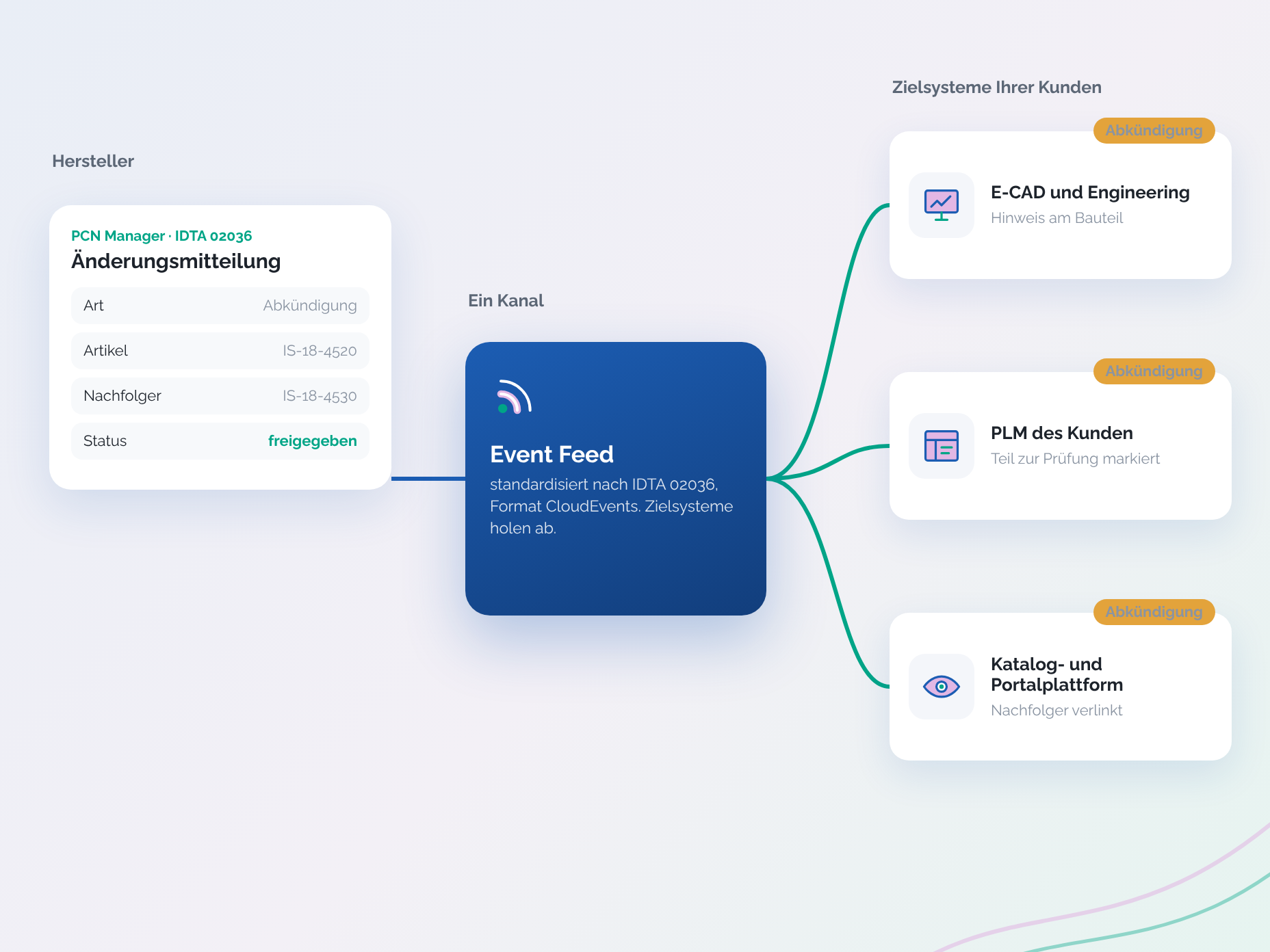
With Neoception AXON, the notification reaches the customer's system rather than their inbox. The Event Feed reports the change in a standards-compliant manner and is part of the core license starting from release 1.2. The PCN Manager is the companion app where you record, review, and approve notifications. The customer's engineering tool, such as EPLAN, displays the notification directly on the affected component.
The notification is sent out as a PDF via email. It only reaches the engineering system if someone types it in manually.
Request DemoThrough distribution channels, manufacturers often do not know who has installed the product.
The message goes to a person, not to the affected component.
A message that reaches no one looks like one that worked.
It only becomes noticeable when an order is rejected or the part has already been installed.
Four steps. Whatever you build once pays off for every subsequent engineering tool.
The target system reads the Digital Nameplate once and assigns the manufacturer part number.
Result: a permanent assignment.
You capture and approve the notification in the PCN Manager, or transfer it directly from your system.
Result: a verified notification.
The event feed reports the change in a standards-compliant manner, and the target system retrieves it.
Result: no loss in the event of failures.
The engineering tool displays the notification on the affected component.
Result: Your customer takes action in time.
Why Neoception
Standardized event types instead of coordinated lists: Additional target systems connect to the same channel.
The first recipient is EPLAN. We developed the vocabulary and identification chain together with the tool.
Before approval, the PCN Manager checks whether the affected article is retrievable.
Technology
The event feed reports that something has changed; the data is provided by the AAS interface. It is pulled, not pushed, and is self-descriptive.
Integration & IT in detailIDTA 02036-1-0
CloudEvents
Retrieval, self-describing
AAS interface remains authoritative
Manufacturer Part Number (IDTA 02006)
e.g., EPLAN Data Portal
Three roles, clearly separated. Detecting the change itself remains your decision.
Detect and describe the change, maintain the nameplate and stable article numbers.
Event Feed, PCN Manager, and Asset Administration Shell: review notification, report, provide data.
Retrieves the notification and displays it on the component, for example in the EPLAN Data Portal.
At the end stands no presentation, but a running pipeline with your own article data.
Request WorkshopTrial · Workshop · Enablement
The first expansion stage of your subsequent productive solution, not a throwaway pilot.
READ MORE
A related use case and the in-depth article on the Event Manager.
Product update
How Event Feed and PCN Manager interact, in detail.
To the Event Manager article: Event Manager: one notification, many tools
Use case
The Asset Administration Shell travels with the asset; updates follow the exact same path.
To the DDC use case: Digital Data Chain (DDC)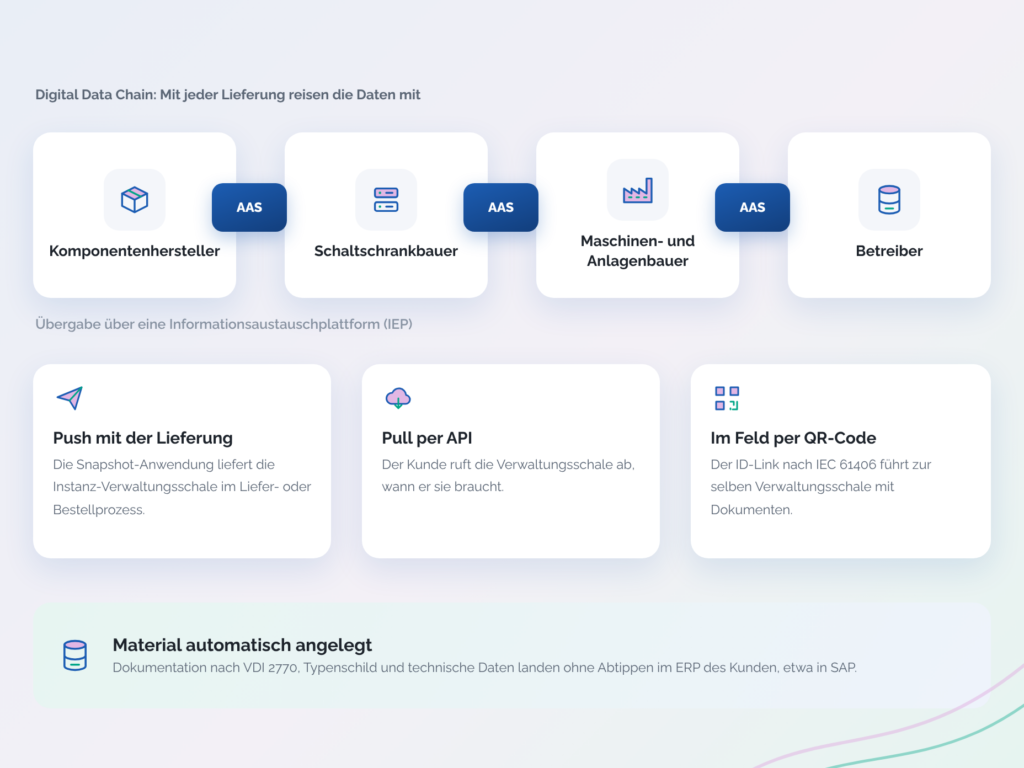
Want to deliver your change notifications directly into your customers' engineering systems? We will demonstrate Event Feed and PCN Manager live.
Free and without obligation.
Briefly tell us how you currently communicate changes and which engineering tools your customers use.

Briefly answered: standard, recipients, prerequisites, and getting started.
A structured manufacturer notification regarding a change to a product, such as a discontinuation, a successor product, or corrected technical documentation. As an Asset Administration Shell submodel, it is standardized in IDTA 02036-1-0.
No. Neoception AXON publishes notifications via a standards-compliant, self-describing event feed. Additional target systems simply connect to the same channel.
Only if you do not have a system where change notifications are created, reviewed, and approved. Starting with release 1.2, the Event Feed is included in the core license. If your process is managed in an ERP, PLM, or proprietary tool, you transmit the notification via an interface.
The change notification itself and an up-to-date digital nameplate with the correct manufacturer article number. This identifier allows the notification to locate the component in your customer's data. Important: identifiers must not change retroactively.
The first recipient is EPLAN: it retrieves notifications via the feed and displays them in the Data Portal on the affected component. Additional tools, portals, and catalog platforms can connect to the same standardized feed.
No. You decide and define whether and when a product changes. Neoception AXON ensures that the notification is delivered to your customers in a standardized and reliable manner.
You are currently viewing a placeholder content from Hubspot Embedded Content. To access the actual content, click the button below. Please note that doing so will share data with third-party providers.
More InformationYou are currently viewing a placeholder content from HubSpot. To access the actual content, click the button below. Please note that doing so will share data with third-party providers.
More InformationYou are currently viewing a placeholder content from Hubspot Meetings. To access the actual content, click the button below. Please note that doing so will share data with third-party providers.
More Information