Every Feature.
One Product.
All features of Neoception AXON in detail: from the back office, connectors, viewer, and API to snapshots and event feeds.
Request Demo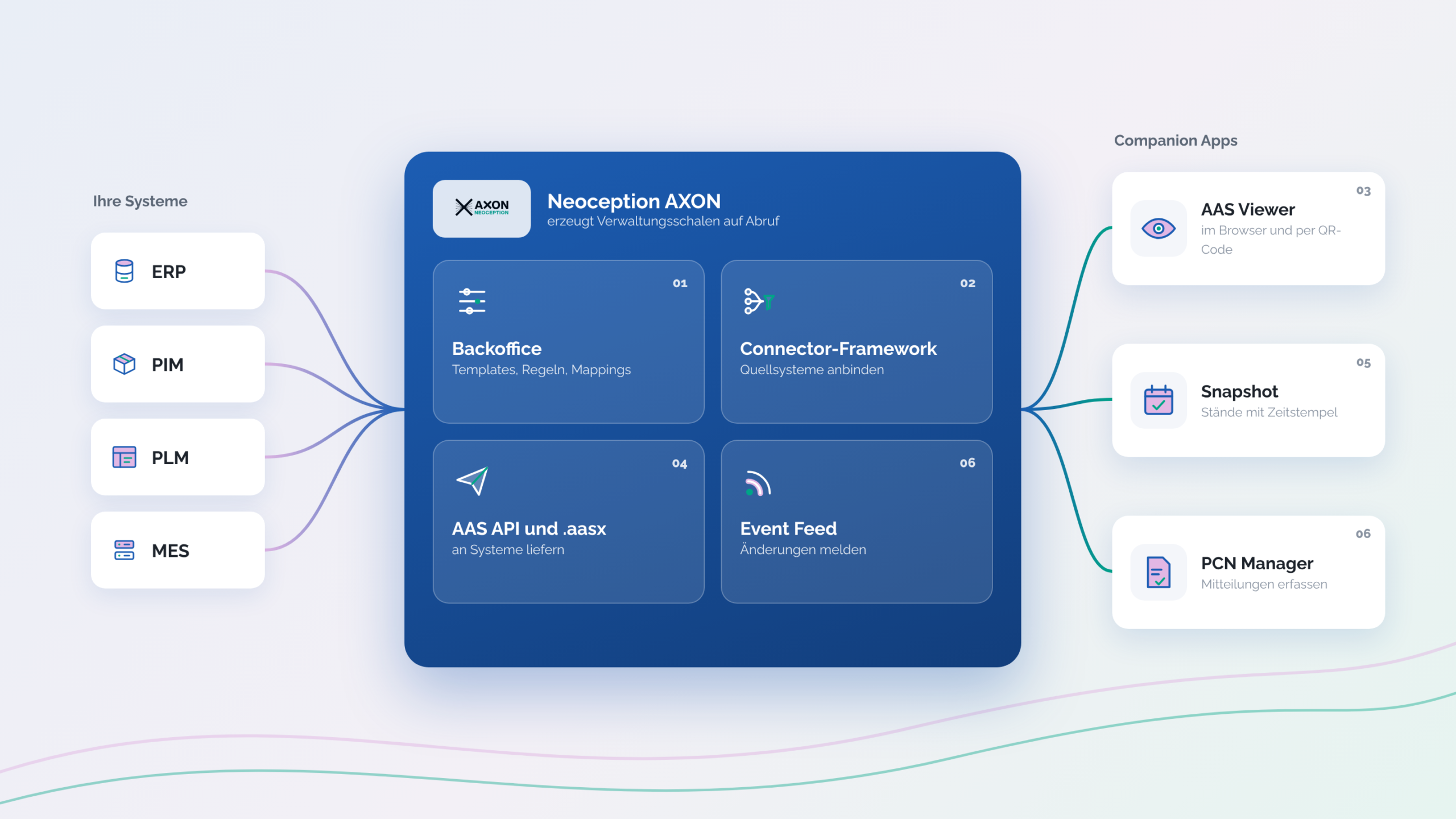
What features does Neoception AXON offer?
Neoception AXON consists of a core and companion apps. The core connects your source systems, assigns data to standardized submodels based on rules, and generates Asset Administration Shells on demand. The Viewer, API, and .aasx export deliver them; Snapshot captures current states; and the Event Feed reports changes. Backoffice, Viewer, and Snapshot are included in the standard package.
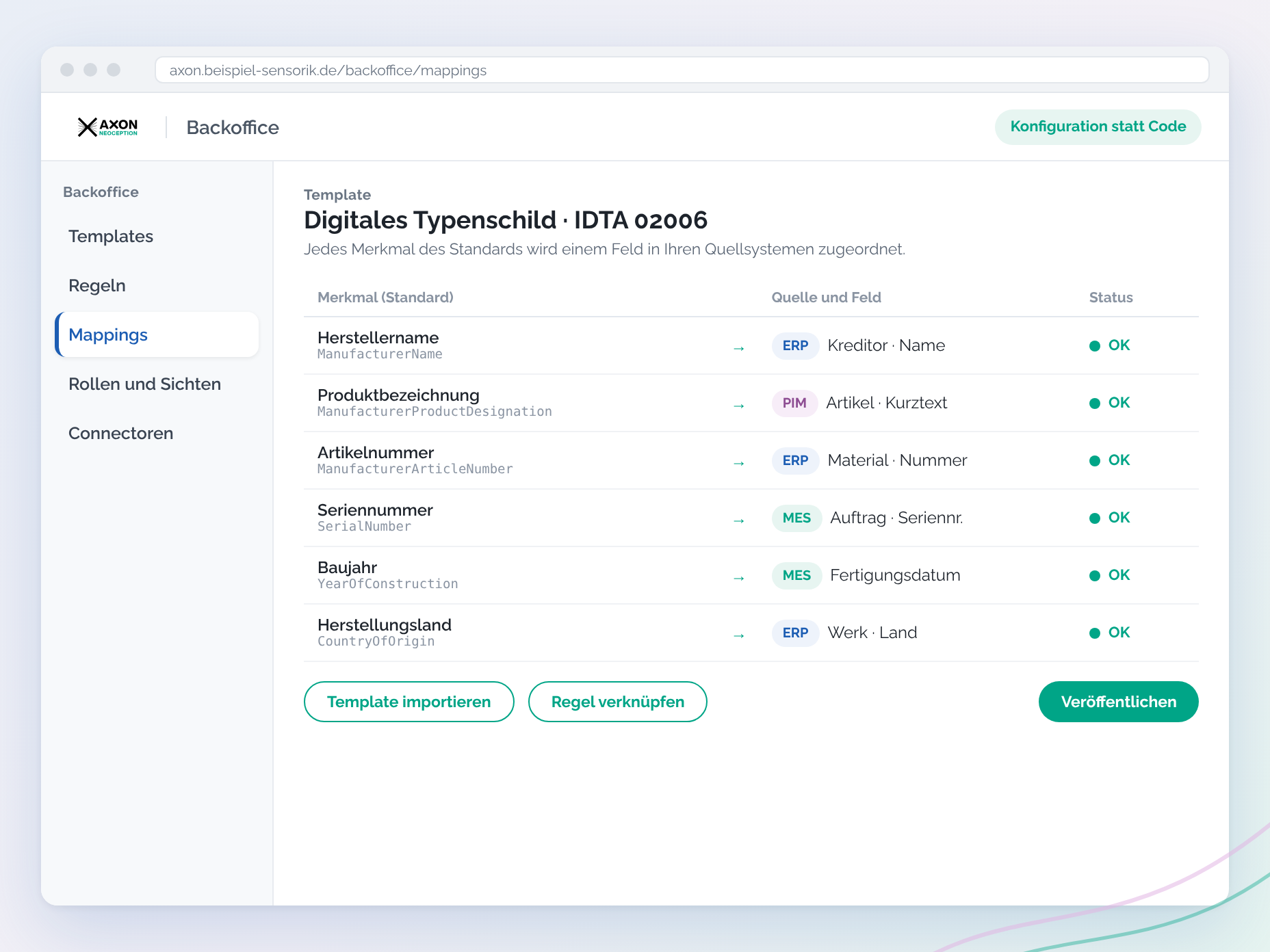
- Backoffice: Configure use cases instead of programming
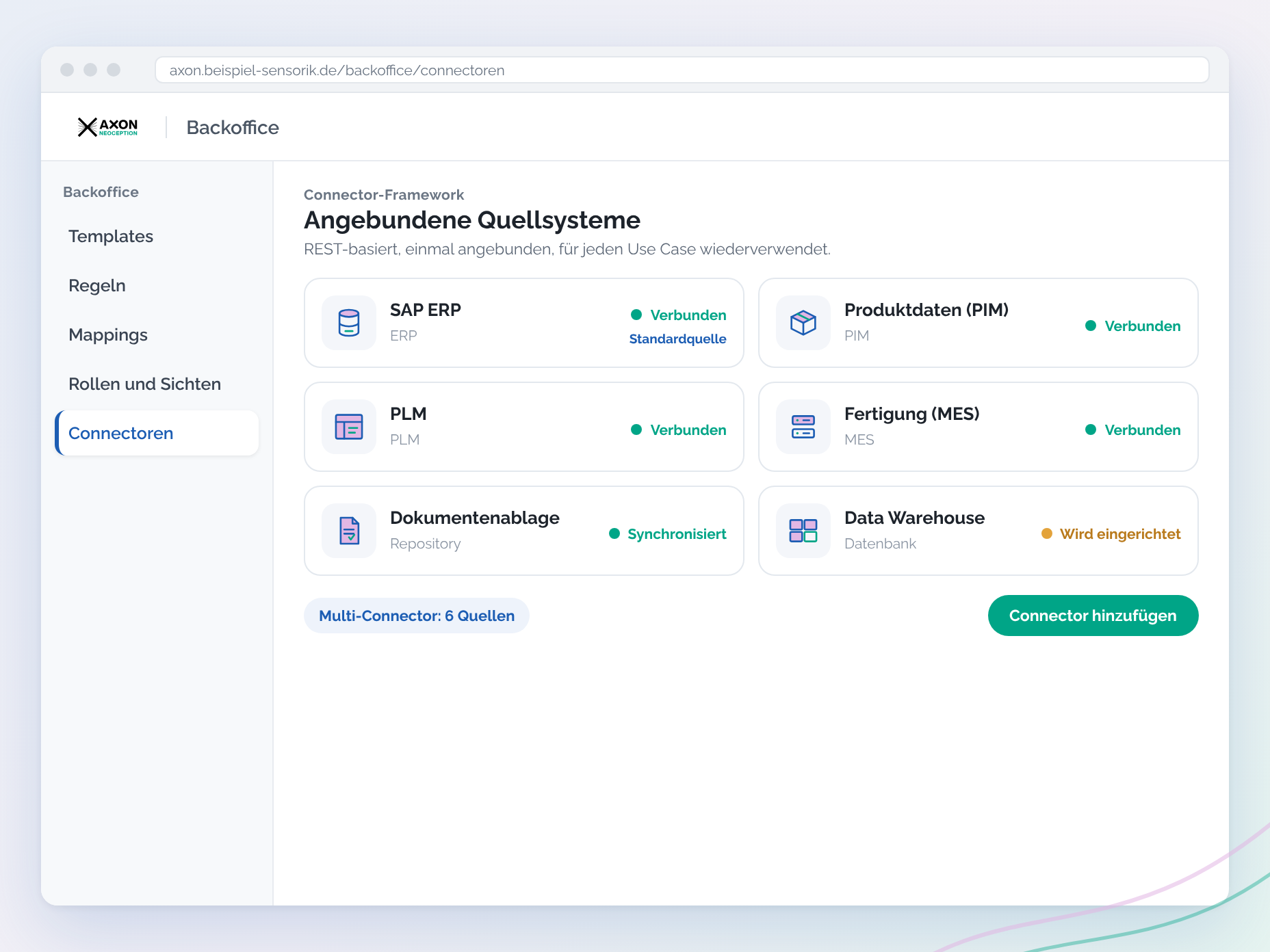
- Connector Framework: Connect any source system, even multiple simultaneously
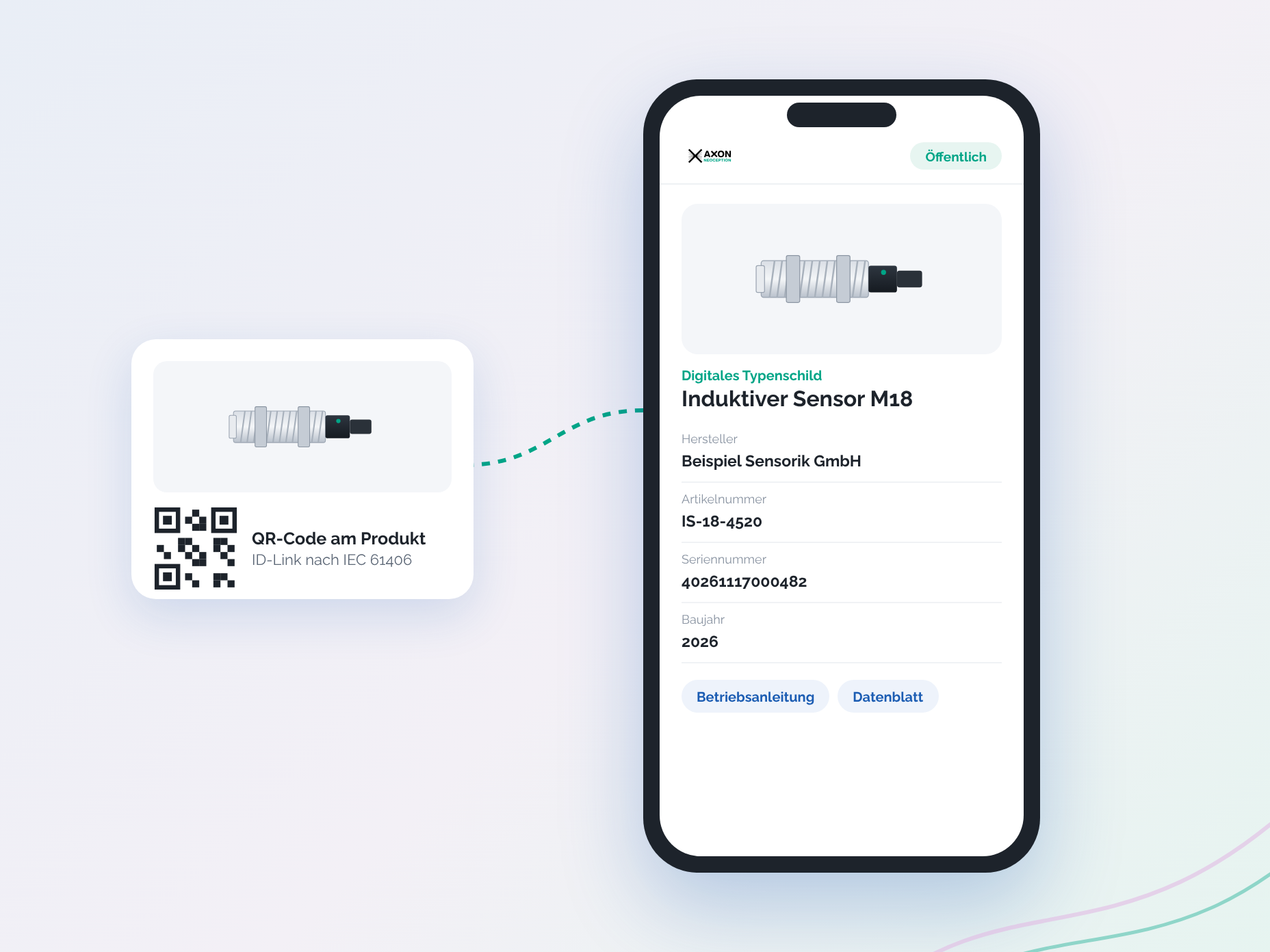
- AAS Viewer: Display the digital twin in the browser and via QR code
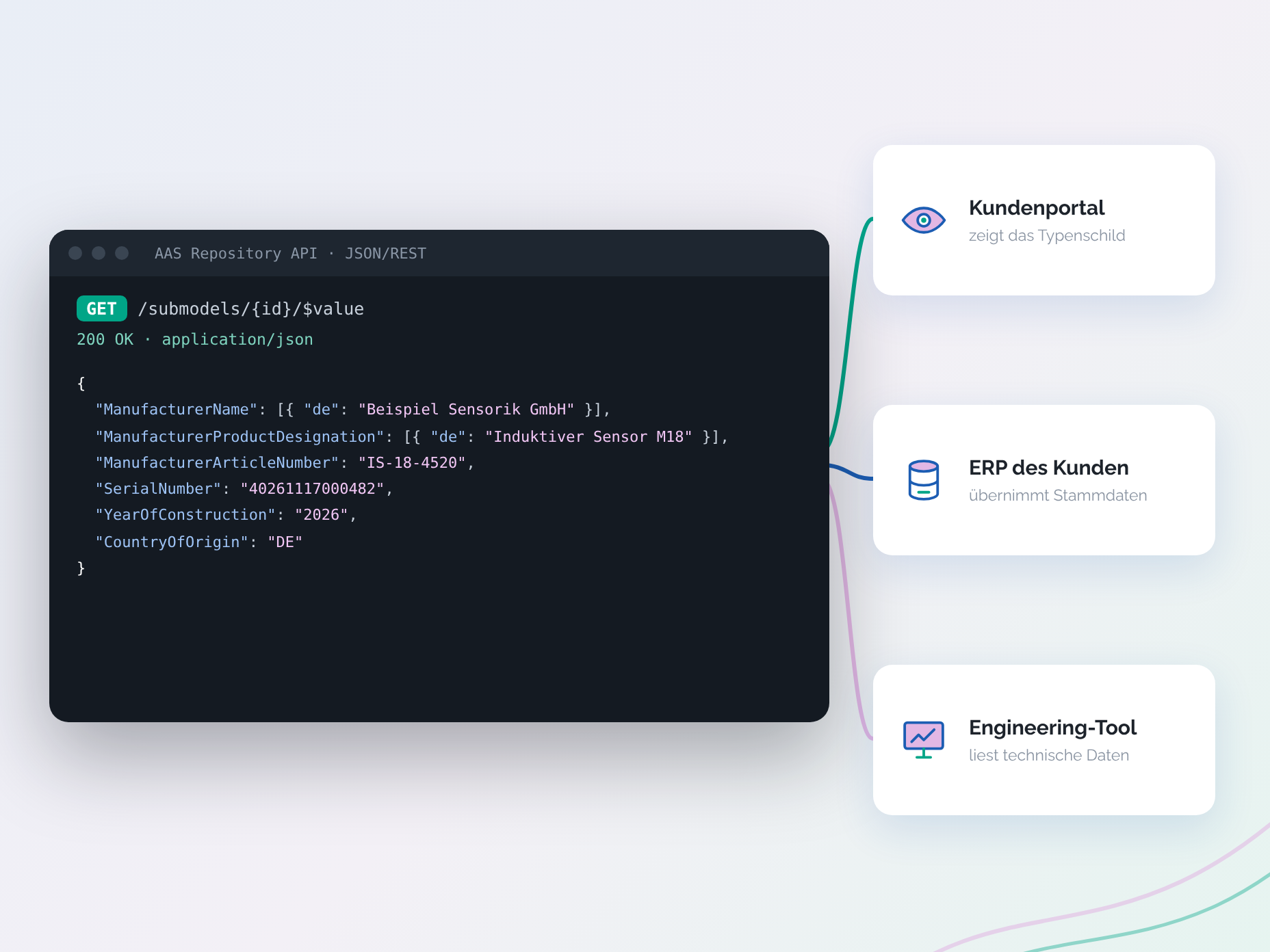
- AAS API and .aasx: Delivering Asset Administration Shells to third-party systems
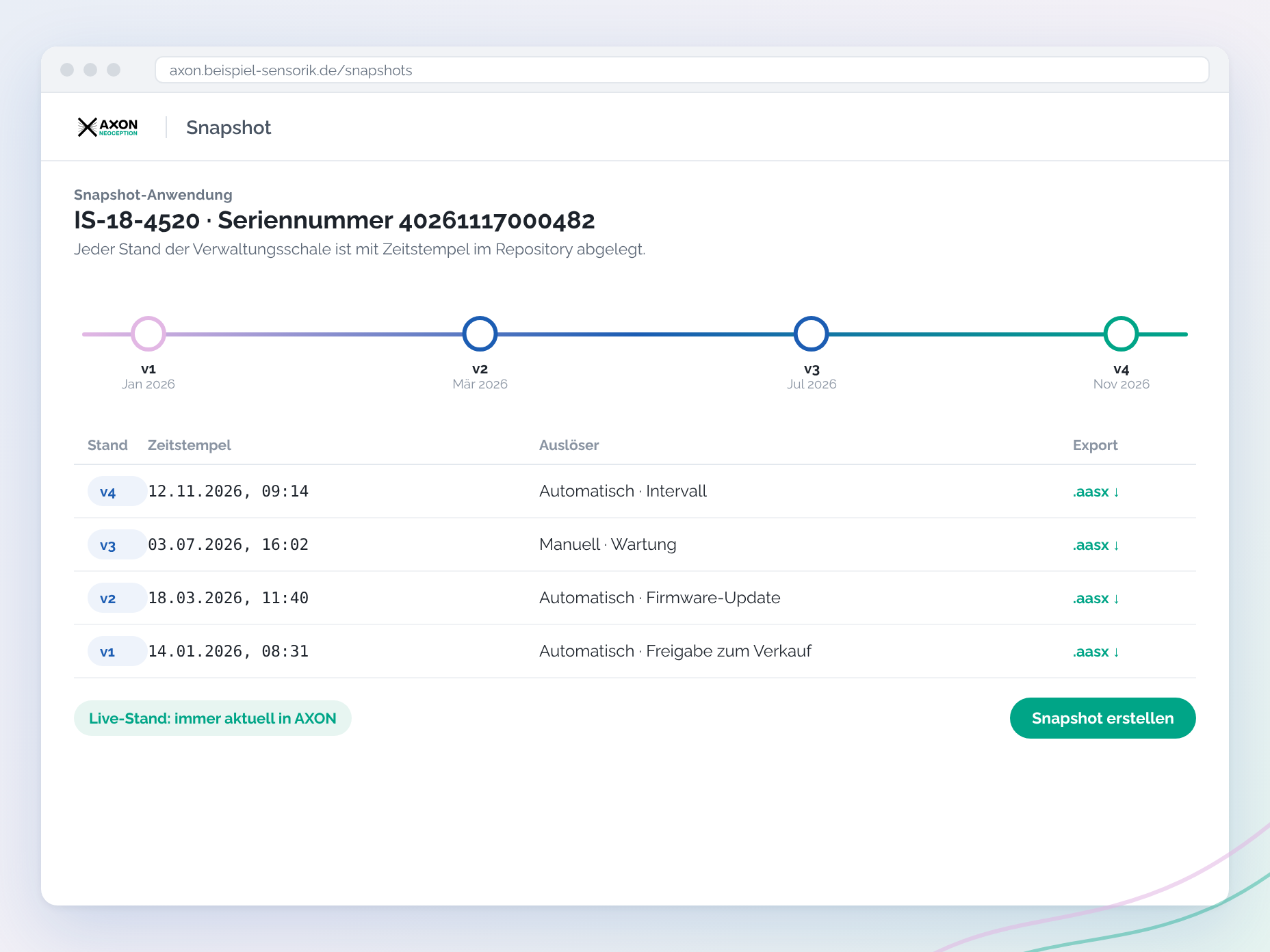
- Snapshot: Capture states with timestamps
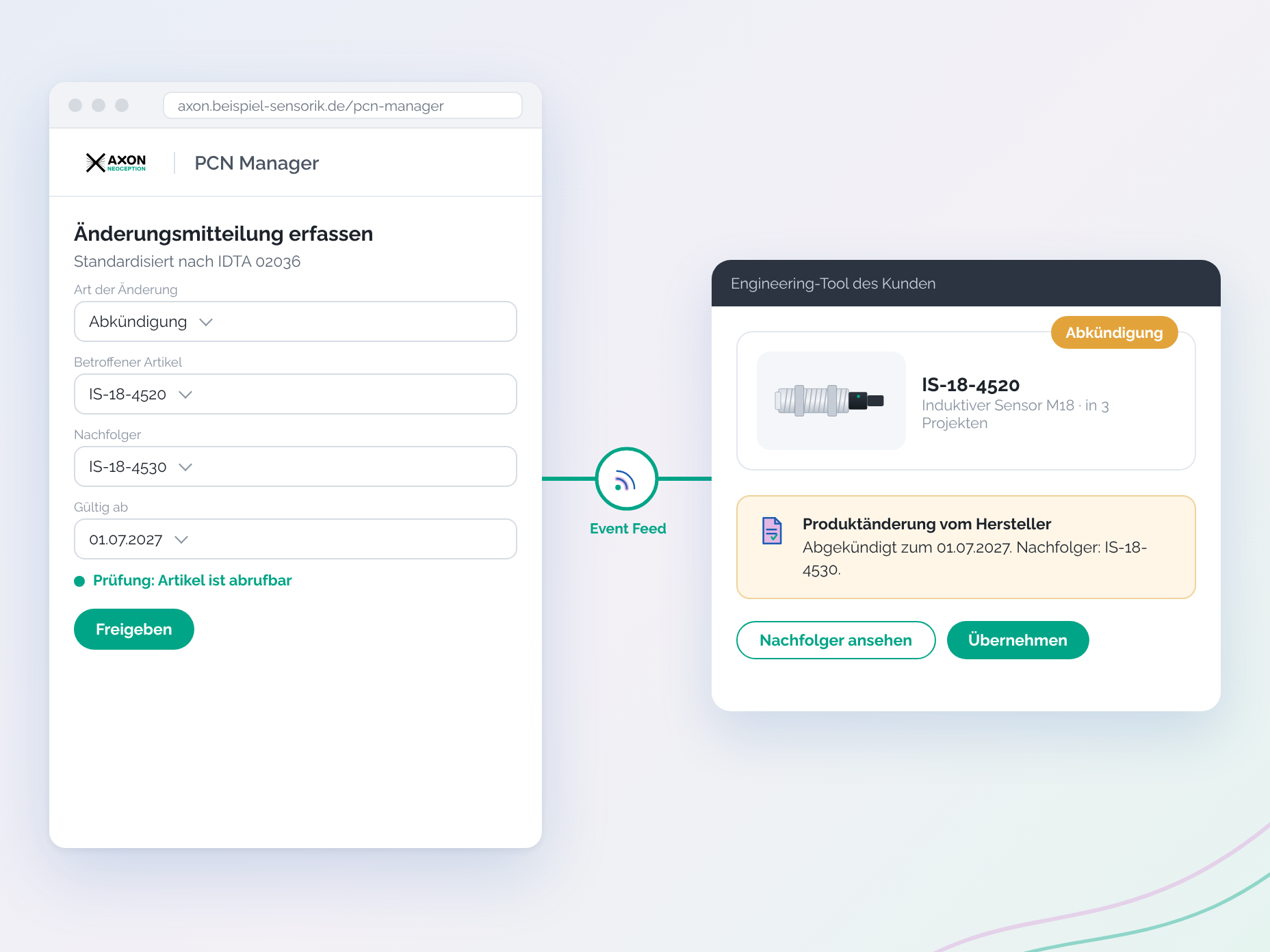
- Event Feed and PCN Manager: Report changes in a standards-compliant manner
Backoffice: Configuration instead of code
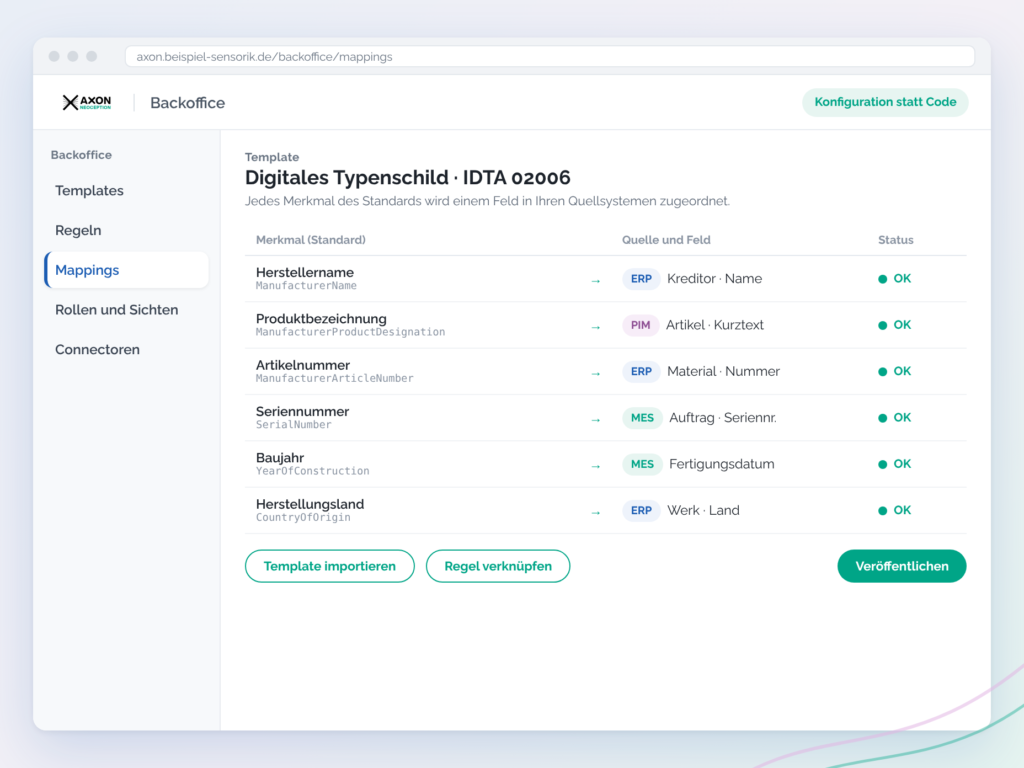
In the backoffice, business users maintain templates, rules, and mappings via a graphical interface. IDTA submodel templates can be integrated directly from external repositories. Rules determine which template applies to which product. A new use case requires no development project.
Connector Framework
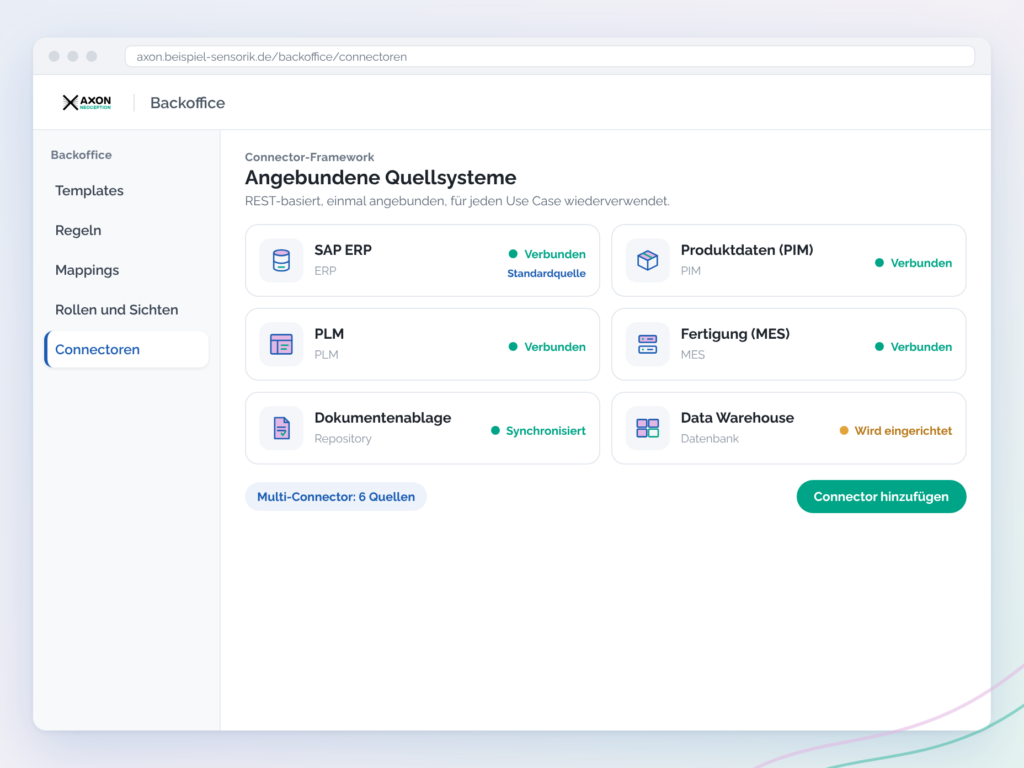
A generic, REST-based connector framework connects ERP, PIM, PLM, MES, databases, repositories, and much more. Since version 1.2, you can connect multiple sources simultaneously, each with its own authentication. The connector provides descriptions and potential semantic IDs right along with it.
AAS Viewer: Showcasing the Twin
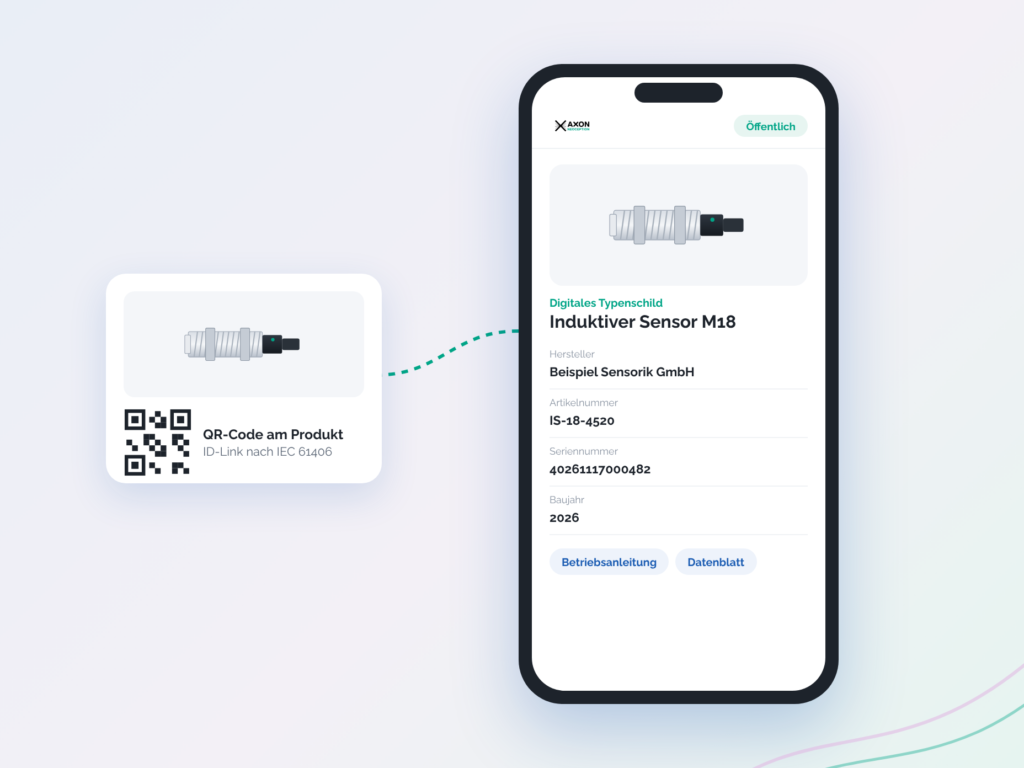
The web viewer displays Asset Administration Shells in a readable format, tailored to your corporate design. A public view without login shows only approved content, such as when scanning a QR code on the product. With role-based access, the service technician sees more than the end customer, based on the same twin.
AAS API and .aasx
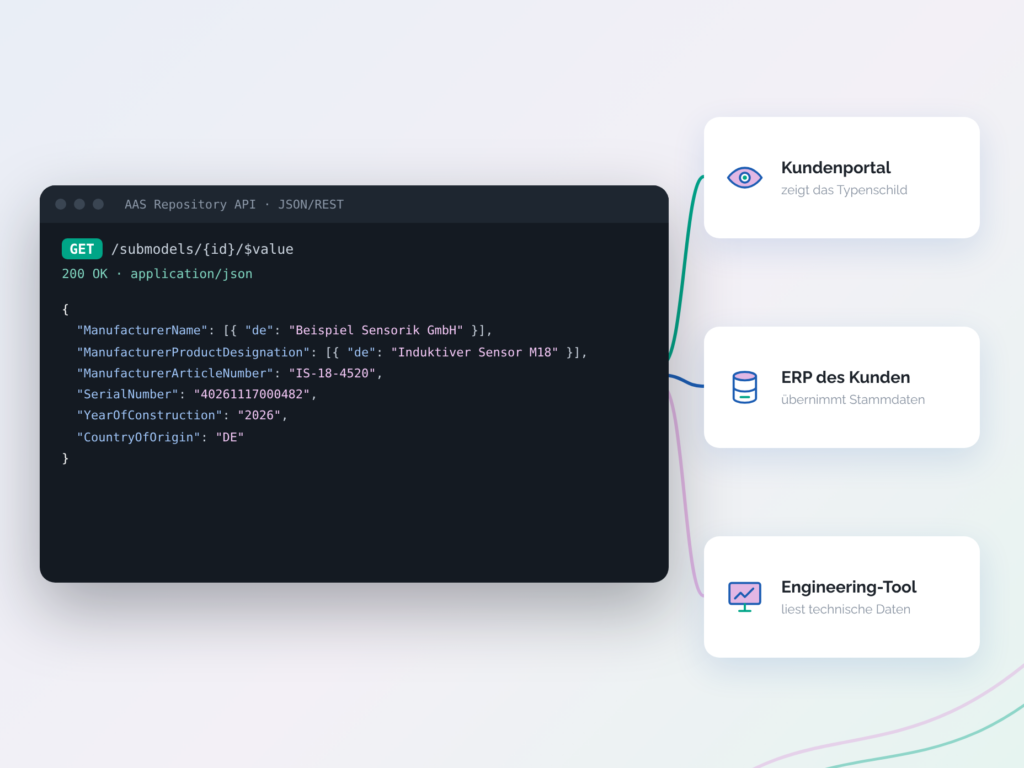
Other systems, such as customer portals, ERPs, or engineering tools, retrieve Asset Administration Shells directly via the standardized AAS Repository API (JSON/REST). For file exchange, AXON exports the .aasx package format. Any AAS-enabled system can use the data, independently of Neoception.
Snapshot: Capture States
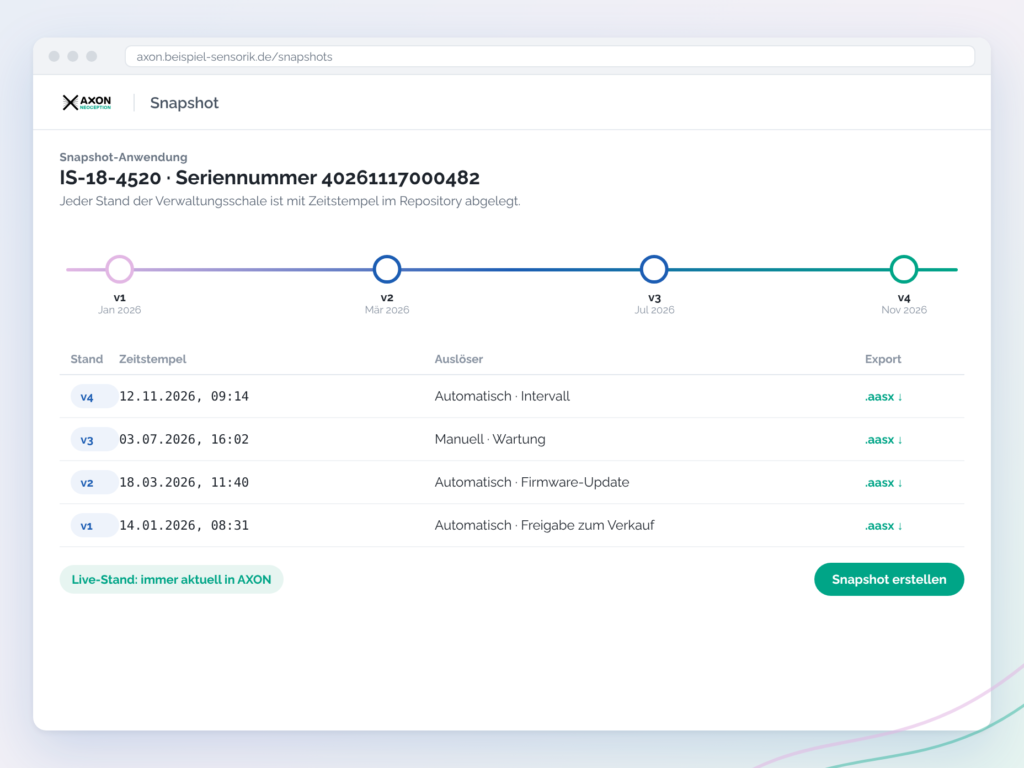
AXON generates Asset Administration Shells on demand from live data. For compliance and verification requirements, the snapshot application additionally retains time-stamped states in your repository. This allows you to combine current data with persistent product passports and integrate AXON into AAS server architectures.
Event Feed and PCN
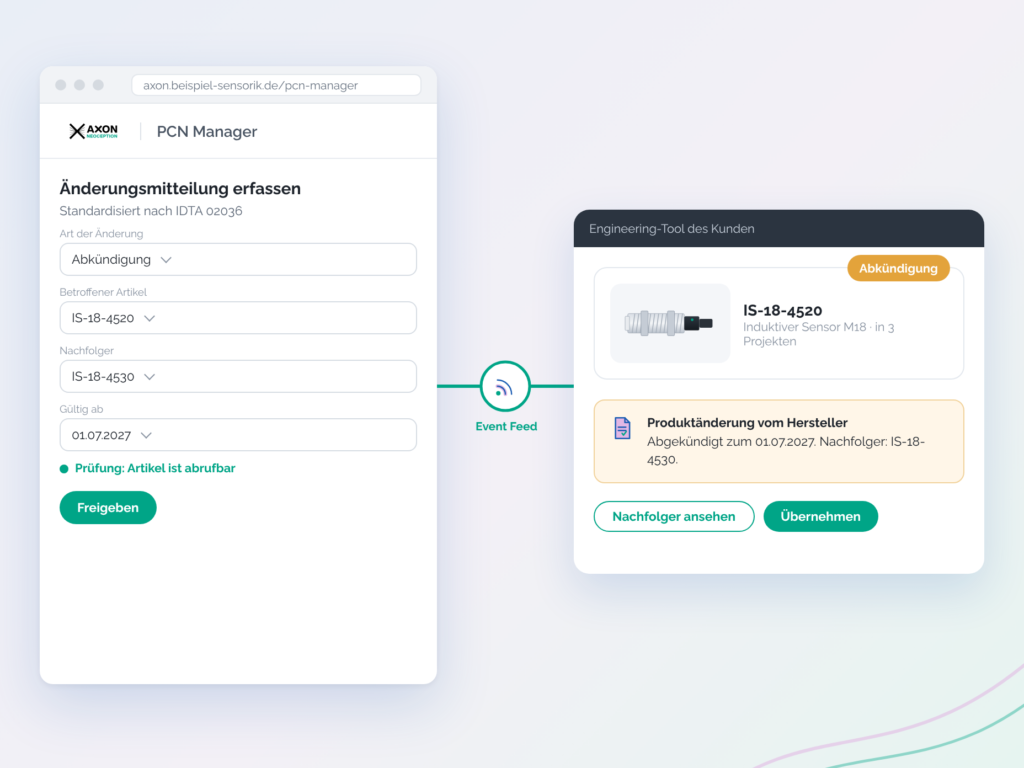
The event feed reports changes to Asset Administration Shells as events according to IDTA 02036 in CloudEvents format. It is part of the core license starting with release 1.2. The PCN Manager complements it as a companion app, allowing you to create, review, and approve change notifications.
Set of Rules
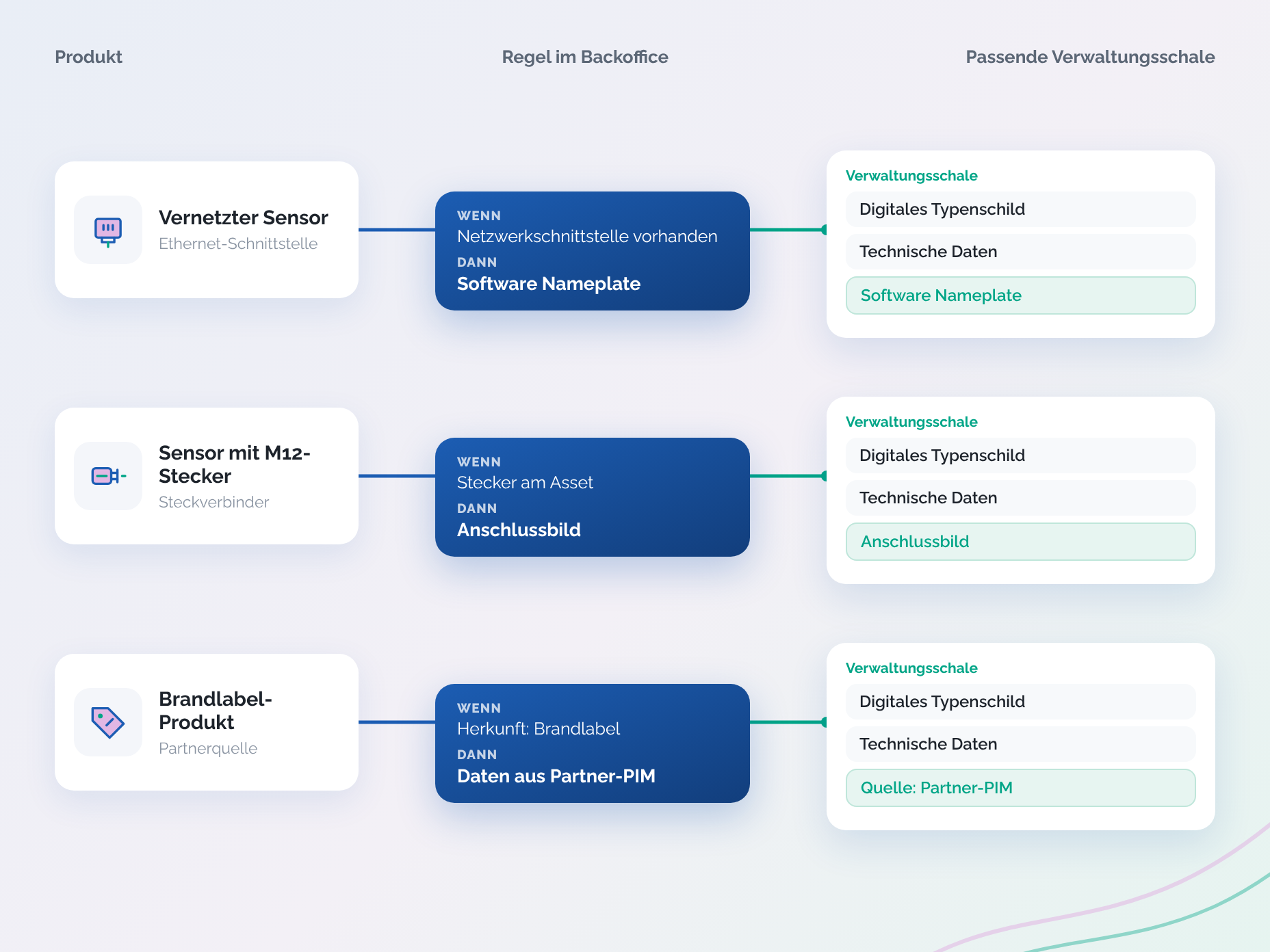
Context decides.
-
Network interface?
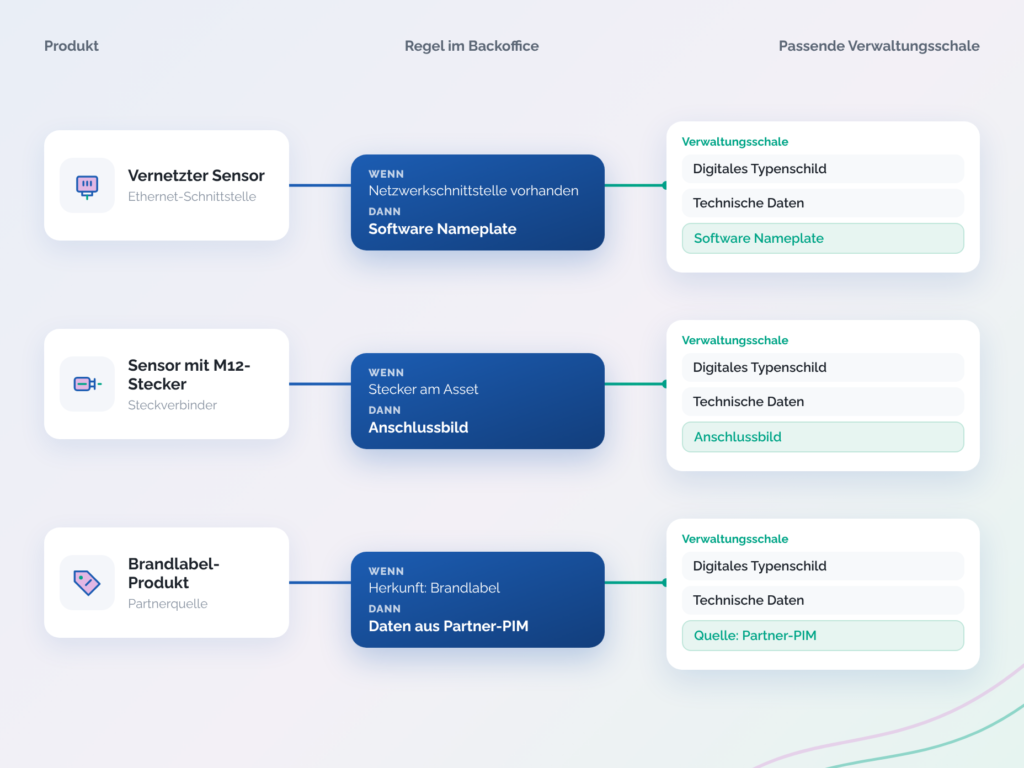
If a product has a network interface, AXON automatically generates the Software Nameplate submodel as well.
-
Connector on the asset?
If the asset has a connector, the Asset Administration Shell also displays the corresponding connection diagram.
-
White-label product?
If a product originates from a different data source, the matching rule applies automatically. Type and instance levels included.
New in AXON 1.2
Available starting August 2026 and automatically rolled out to all customers.
-
External Template Repositories
Directly integrate IDTA submodel templates and keep them automatically up to date.
-
Roles down to property level
Role-Based Access Control: a single QR code, multiple views, down to individual properties.
-
Multi-Connector and Filters
Connect multiple source systems simultaneously and utilize advanced filtering during data mapping.
Updates are applied automatically via the rolling release model. You do not need to trigger anything.
Shell we connect?
Would you like to see the features using your own data? In a live demo, we will show you the back office, viewer, and API based on an example from your industry.
Request Demo
Free and without obligation.
Briefly tell us about your source systems and use case. We will get back to you shortly with a proposed date.


Frequently Asked Questions about Features
In brief: what is included in the standard version, who configures it, and who sees what.
What features are included in the standard version?
The standard package of Neoception AXON includes the back office, AAS viewer, and snapshot, as well as the connector framework, the AAS Repository API, .aasx export, and, starting with release 1.2, the event feed. The PCN Manager is a companion app for change notifications.
Do I need programming skills?
No. Templates, rules, and mappings are managed by business users in the back office via a graphical interface. Programming skills are only required if you develop a custom connector; we can support you with this upon request.
Can I connect multiple source systems?
Yes. Since AXON 1.2, the Multi-Connector is a productive core feature: multiple sources simultaneously, each with its own authentication (Basic or OAuth2), one of them as the default source. The data points remain distinguishable by origin.
Who sees what data?
You define this using roles. Role-Based Access Control controls access down to individual properties of an Asset Administration Shell. A public view that does not require a login displays only shared content, such as when scanning a QR code.
How are new IDTA templates integrated into AXON?
Via external submodel template repositories. For example, you can link the IDTA repository in the settings and automatically stay up to date with the latest published templates.